
 These new Funnels are
extremely versatile, with a vast number of possible parameter variations. They are
both based upon wedge shaped objects which can be adjusted and oriented. The
wedges radiate around a central point, and a defined outer area is mirrored recursively
inward, becoming progressively smaller. With a Cone Funnel
These new Funnels are
extremely versatile, with a vast number of possible parameter variations. They are
both based upon wedge shaped objects which can be adjusted and oriented. The
wedges radiate around a central point, and a defined outer area is mirrored recursively
inward, becoming progressively smaller. With a Cone Funnel  , the
outer reflected portion can be curved to varying degrees, either outward
or inward, or it can be flat. A single Base Cone is used to define the characteristics
of the effect. The width of the Base Cone can be adjusted, which also determines
the number of cones that will fit around the center, from 4 to 28. The Base Cone
can also be rotated to any orientation, and boxes can be clicked to quickly align it to the
most symmetrical positions.
, the
outer reflected portion can be curved to varying degrees, either outward
or inward, or it can be flat. A single Base Cone is used to define the characteristics
of the effect. The width of the Base Cone can be adjusted, which also determines
the number of cones that will fit around the center, from 4 to 28. The Base Cone
can also be rotated to any orientation, and boxes can be clicked to quickly align it to the
most symmetrical positions.

 A Spike Funnel
  operates much like a Cone
Funnel except that the outer mirrored areas can be pointed, either outward or inward.
operates much like a Cone
Funnel except that the outer mirrored areas can be pointed, either outward or inward.
For both Funnels, there is an option to Replicate the Base Cone or
Base Spike, which causes that single Cone or Spike to be mirrored around the center to
produce the other cones or spikes. Otherwise, each cone or spike will be created
from its own portion of the source image, resulting in an entirely different sort of
effect. As with other Funnels, the final results can often be greatly
improved by rendering with Improved Quality  .
.
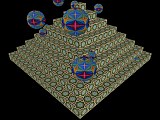
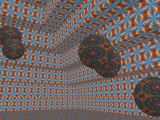 Two rather elaborate new
Rooms are now available. The Pyramid Room is a hollow
structure constructed of steps that are tiled with Kaleider patterns, perhaps
built by a demented Mayan king or a flamboyant pharoah. It can also be
accompanied by patterned Bubbles of various sizes, randomly floating inside and
outside. Automated Roaming might carry you around and upward within
the Pyramid until you break through the top step, then down again to the
floor. Or, you might orbit around the outside, while progressing upward and
downward, allowing you to appreciate many perspectives.
Two rather elaborate new
Rooms are now available. The Pyramid Room is a hollow
structure constructed of steps that are tiled with Kaleider patterns, perhaps
built by a demented Mayan king or a flamboyant pharoah. It can also be
accompanied by patterned Bubbles of various sizes, randomly floating inside and
outside. Automated Roaming might carry you around and upward within
the Pyramid until you break through the top step, then down again to the
floor. Or, you might orbit around the outside, while progressing upward and
downward, allowing you to appreciate many perspectives.
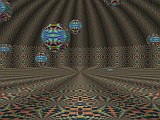
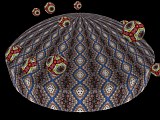 The Carousel Room is round, with a domed ceiling. The patterns on the
circular wall, ceiling and floor are alternately shaded to provide an enhanced perception
of depth. With Roaming motion, you can experience a Carousel
in a variety of randomly selected modes. You might begin in the center and
watch the Carousel revolve around you, while gradually rising until you emerge
above the dome, look downward as it turns, then fall back down and through the
floor. Or, you might travel around the inside, near the Carousel wall,
either looking towards the center or looking along the curving wall. Or, perhaps
you will orbit around the outside of the Carousel, while ascending until you
can view the dome from above, and then descending until you see its flat bottom.
Of course you can also manually navigate around Rooms via keyboard
commands. By the way, new keyboard commands have been added to look
upwards or look downwards (the '*' and '/' keys respectively on the numeric keypad).
The Carousel Room is round, with a domed ceiling. The patterns on the
circular wall, ceiling and floor are alternately shaded to provide an enhanced perception
of depth. With Roaming motion, you can experience a Carousel
in a variety of randomly selected modes. You might begin in the center and
watch the Carousel revolve around you, while gradually rising until you emerge
above the dome, look downward as it turns, then fall back down and through the
floor. Or, you might travel around the inside, near the Carousel wall,
either looking towards the center or looking along the curving wall. Or, perhaps
you will orbit around the outside of the Carousel, while ascending until you
can view the dome from above, and then descending until you see its flat bottom.
Of course you can also manually navigate around Rooms via keyboard
commands. By the way, new keyboard commands have been added to look
upwards or look downwards (the '*' and '/' keys respectively on the numeric keypad).
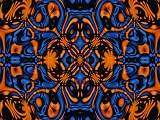
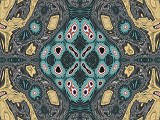 Three new non-flat Surfaces
have been added. The Knolls Surface is quite lumpy, which forces patterns
to alternately stretch and squeeze as they conform to the gentle hills. As with
other Surfaces, the results look much more interesting when automated
Wandering motion is applied to the distorted patterns.
Three new non-flat Surfaces
have been added. The Knolls Surface is quite lumpy, which forces patterns
to alternately stretch and squeeze as they conform to the gentle hills. As with
other Surfaces, the results look much more interesting when automated
Wandering motion is applied to the distorted patterns.
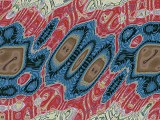
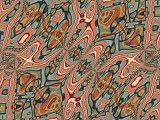 These stationary Queaser Surface images might look fairly calm. However,
when Wandering motion is active, the semi-irregular ridges of the Queaser
can be somewhat disorienting, possibly even nauseating to watch.
These stationary Queaser Surface images might look fairly calm. However,
when Wandering motion is active, the semi-irregular ridges of the Queaser
can be somewhat disorienting, possibly even nauseating to watch.
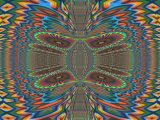
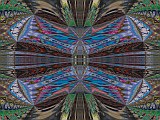 The Wings Surface roughly resembles spread, flapping wings -- perhaps an
exotic butterfly when combined with a colorful pattern. A final Improved
Quality rendering can often help make a Surface
image appear smoother and less pixelated.
The Wings Surface roughly resembles spread, flapping wings -- perhaps an
exotic butterfly when combined with a colorful pattern. A final Improved
Quality rendering can often help make a Surface
image appear smoother and less pixelated.